Sunday, May 3, 2026

Best content calendar tools for your team in 2026

Key takeaways

  1. The best content calendar tools centralize scheduling, collaboration, and analytics across every channel, not just social media.
  2. Enterprise teams should prioritize tools with approval workflows, governance controls, and integrations with their existing tech stack.
  3. Automation features like bulk scheduling, AI content generation, and best-time-to-post recommendations save hours every week, with 49% of CMOs and marketing leaders reporting that GenAI investments are delivering ROI through improved time efficiency.
  4. The right tool depends on your team size, budget, and whether you need social-only or multi-channel content planning.

What are content calendar tools?

Content calendar tools are software that allow you to plan, schedule, manage, and distribute your content across multiple platforms. They help you stay organized and streamline a flow of content across your blogs, social media accounts, and other marketing channels.

We spoke to Carolina Horna, Freelance Creative Director and Brand Strategist, to get some expert advice. She has spent over a decade in the social media trenches and knows her way around a content calendar.

“Using a dedicated tool as opposed to a Google Doc or spreadsheet adds a level of organization and clarity that is hard to achieve without it,” says Horna.

“With a content calendar tool, I’m able to see my strategy come to life, maintain my content pillar distribution, and collaborate easily with my team.”

The best content calendar software includes features like:

  • Bulk scheduling: Upload and schedule posts in batches to save time
  • Optimal timing: Suggestions for the best time to publish, send, or post
  • Platform customization: Options to tailor your posts for each platform
  • AI content generation: AI-powered caption writing and content suggestions
  • Hashtag suggestions: Recommended hashtags based on your content and audience
  • Asset library: Built-in storage for images, videos, and templates
  • Integrations: Connections with CRMs and other tools for smooth workflows
  • Mobile apps: Intuitive mobile access so you can work from anywhere

If you need help specifically scheduling social media posts, try these social media scheduling tools.

What key features should you look for?

When you’re sizing up content calendar tools, it’s not just about posting on time. It’s about how much smoother they can make your whole workflow.

“Within the content calendar tool I use, you’re able to toggle between different views (such as spreadsheet, calendar, kanban, etc.),” says Horna. “This helps me manage my team’s time effectively since I can create a view that suits their involvement in my project. They never need to see or sift through content that doesn’t apply to them.”

Here are the key features to look for if you want to get the most value out of your tool of choice:

  • Visual planning: Calendar, kanban, and timeline views to see your content at a glance
  • Scheduling and publishing: Drag-and-drop interfaces for easy scheduling across platforms
  • Collaboration and approvals: Approval workflows with version history, comments, and role-based permissions to control who can draft, edit, or publish
  • Multi-brand management: Centralized management of multiple brand accounts across regions or sub-brands
  • Brand governance: Shared asset libraries tied to brand guidelines (logos, tone of voice, templates) with governance controls to prevent off-brand posting
  • Asset management: Storage for brand-approved images, logos, and videos
  • Performance analytics: Automated reporting dashboards that track specific KPIs
  • Export and sharing: Options to share calendars or performance reports with stakeholders
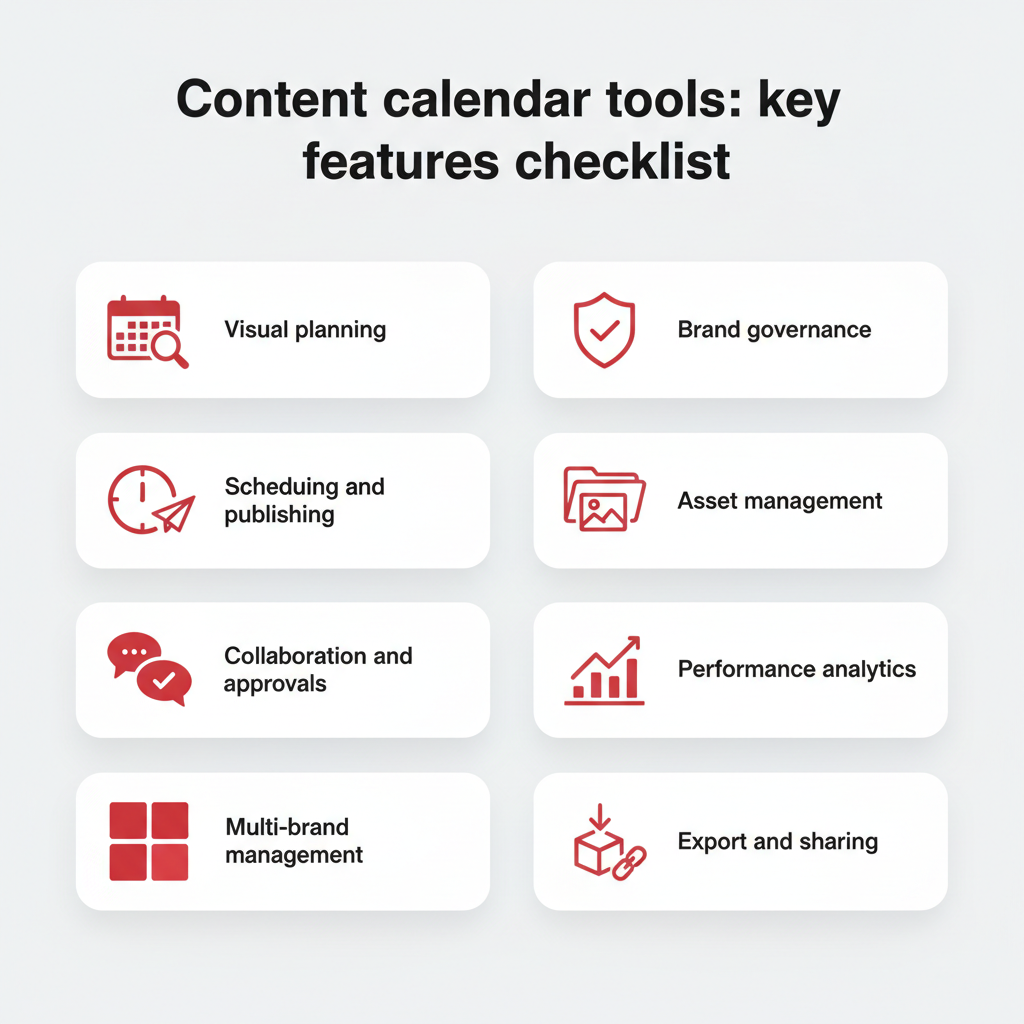
Content calendar tools: key features checklist — a grid showing 8 essential features including visual planning, scheduling, collaboration, and analytics

When it comes to choosing a tool based on its features, think of what you and your team may need on a daily basis.

“In my content calendar tool, I’ve created sections in my content forms that correspond to copywriting and design requirements,” says Horna.

“These are then filtered into separate spreadsheets for copywriters and designers to see tasks and revisions. It’s a game-changer because team members only have to go to one place to see which content needs their expertise.”

Why use a content calendar tool?

A dedicated content calendar tool does more than keep you organized. It can meaningfully improve how your team plans, produces, and measures content across channels, with CMOs now overseeing complex multi-channel strategies.

It’s worth noting that 58% of marketers reported feeling overwhelmed. Juggling multiple platforms, deadlines, and stakeholders without a centralized system is a big part of why.

Here are the core benefits:

  • Time savings: Bulk scheduling and automation reduce the hours spent on repetitive publishing tasks
  • Brand consistency: A shared calendar ensures your messaging, visuals, and tone stay aligned across every channel and team, especially when paired with clear social media guidelines
  • Better collaboration: Built-in approval workflows and role-based permissions keep everyone on the same page without endless email threads
  • Data-driven decisions: Integrated analytics help you see what’s working and adjust your strategy in real time
  • Governance and compliance: Enterprise teams can enforce brand guidelines and control who publishes what, reducing the risk of off-brand or unapproved content going live with the right compliance tools

Why teams need a content calendar tool

In short, content planning tools turn a chaotic content process into a repeatable, scalable system.

What are the best content calendar tools in 2026?

The best content calendar tools are the ones that make your work easier with the features and integrations you need.

Choosing the right content calendar tool can feel overwhelming, with so many apps and platforms out there. But we’ve got your back. We’ve created an easy-to-skim table and list of the top 15 content calendar tools in 2026.

Tool

Best for

Key features

Pros

Cons

Pricing (as of 2026)

Hootsuite

Enterprise and all-in-one social media teams

Social media calendar, scheduling, analytics, approvals, AI-powered tools

Scales for teams, integrations, powerful reporting

Higher cost than basic tools

Starts at $199/mo

Asana

Mid-to-large marketing teams

Project + workflow management, calendar view, task assignments

Great for collaboration, scalable workflows

Less specialized for content marketing

Free–$24/mo

Notion

Flexible individual or team setups

Customizable databases, calendar view, note-taking

Highly customizable, affordable

Requires setup, lacks automation

Free–$10/mo

Later

Small marketing teams, creators, solopreneurs

Visual content calendar, media library, preview for grid & feed, hashtag suggestions

Intuitive visual planning, drag-and-drop calendar

Weaker analytics or advanced workflows vs full suites

$18.75 – $82.50/mo

Buffer

Solopreneurs and small marketing teams

Scheduling, basic analytics, reuse options, browser extensions, content queueing

Clean interface, easy to use, low learning curve

Limited reporting, limited collaboration in lower tiers

Free – $10/mo

Airtable

Mid to large marketing teams

Spreadsheets + database hybrid, multiple views, automations, linked records

Flexible data modelling, useful for content planning & asset management

Doesn’t natively publish to social

$20/mo per seat

Sprinklr

Enterprise-level organizations

Publishing, engagement, listening, advertising, analytics, governance, omnichannel messaging

Enterprise-grade features, strong compliance/permissions

Very expensive; steep learning curve

Not publicly listed (seats likely start at ~$299/mo)

Canva Pro

Solopreneurs, small marketing teams, freelancers

Design templates, brand kits, content planner, team collaboration

Strong for graphics, huge template library, intuitive

Scheduling is basic; not a full social suite

$19/mo

HubSpot

Mid to enterprise marketing teams, B2B orgs

Social publishing, CRM integration, email campaigns, automation, analytics

Unified marketing + sales view, strong automation

Expensive; social features sometimes secondary

Free – $4,700/mo

Monday.com

Mid to large marketing teams

Boards, automations, dependencies, integrations, dashboards, forms

Flexible for structuring content workflows; good as a central hub

Not a dedicated social scheduler; requires integrations

Free – $26/mo

Trello

Solopreneurs and small marketing teams

Boards, lists, cards, checklists, labels, power-ups

Intuitive; great for campaign ideation and lightweight planning

Lacks native social features; can get messy with scale

Free – $17.50/mo

KAWO

Enterprise & mid-size companies targeting Chinese social platforms

Publishing to Chinese platforms, content calendar, analytics for Chinese networks

Niche specialist for China; bridges gap for Western tools

Less utility outside Chinese platforms; limited global use

Starts at $4,000/year

MeetEdgar

Solopreneurs and very small teams

Evergreen queues, content library, posting automation, variations generation

Keeps profiles active with minimal effort; strong re-use

Weaker analytics, limited collaboration

$499/year

Post Planner

Small teams or solopreneurs needing curated content + scheduling

Content suggestions & curation, scheduling, category queues, analytics

Helps with ideation; decent hands-off scheduling

Analytics & collaboration are basic; media features may lag

Free – $79/mo

Mailchimp

Mid to enterprise teams

Email marketing integration with social scheduling

Impressive email features; good for teams wanting email + social

Social scheduling limited; pricing scales quickly

Free trial, then $27.85/mo

Hootsuite

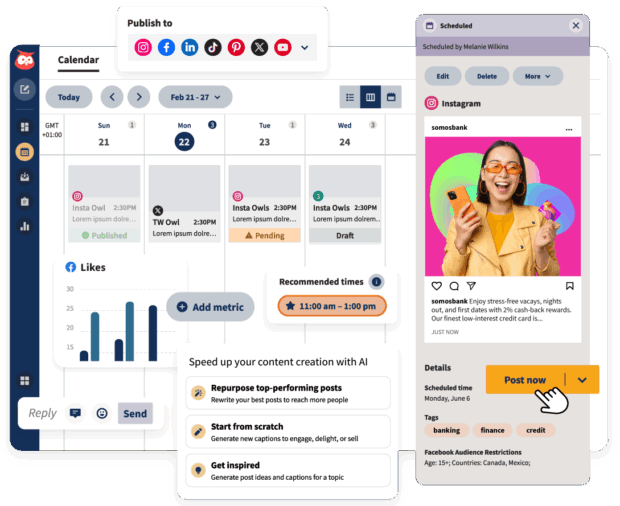
A content calendar view showing scheduled Instagram and Twitter posts, including options to edit, delete, and add metrics, with recommended posting times.

Our top pick for enterprise and all-in-one social media teams is Hootsuite. The platform also has well-documented benefits for social media teams. Notably, having all of your different social media channels and accounts on one platform. It makes executing your social media campaigns a breeze.

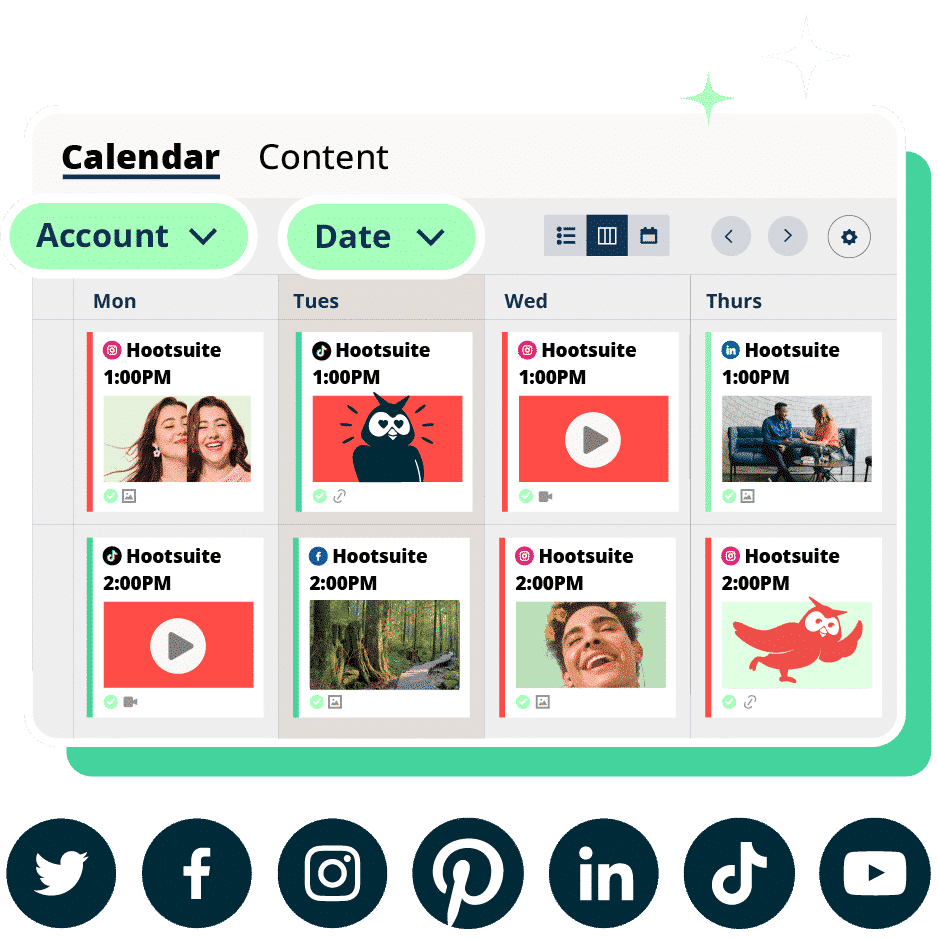
With Hootsuite, you’ll have an at-a-glance social media content calendar with all of your accounts in one place. You can drag-and-drop to organize scheduled posts, bulk schedule posts, and export your calendar. Your schedule will be updated in real-time.

Plus, it’s got automation built right into it, making it a superpowered social media content planner.

The AI-powered features (like OwlyWriter AI), content library, and integrations (like Canva) give your team a healthy assist when it comes to creating content in the platform. You can see the best time to post according to data from your followers.
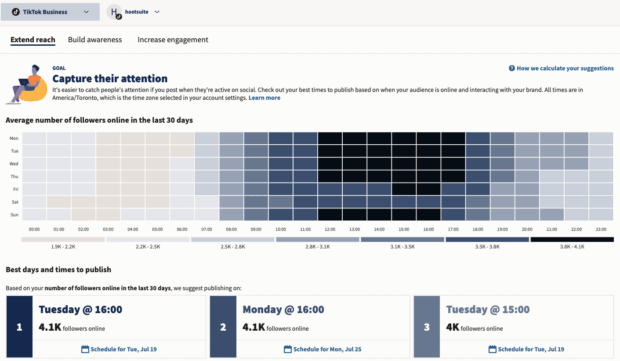
A content calendar tool displaying TikTok business analytics, showing best times to publish for increased engagement and reach based on follower activity.

You can assign approvals to certain team members and restrict other team members’ access, depending on their role. Workflows are pretty intuitive, so your team can create, schedule, approve, and publish posts without any bumps.

You’ve also got access to enterprise-level analytics tools that’ll help you optimize your social media strategy.
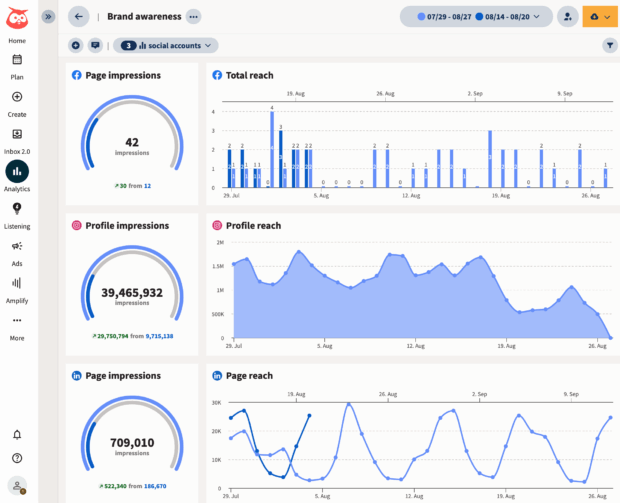
A content calendar dashboard showing brand awareness metrics, page impressions, and total reach for multiple social accounts.

But don’t take our word on it alone. Hear from Witness Change on how switching to Hootsuite dramatically reduced their time spent scheduling and updating posts. Functionality like our all-in-one platform, where creation, scheduling, and publishing all take place on a single calendar, sure helped.

Or read how Stocksy had their best month ever using Hootsuite. “We’re using all the features of the platform,” says Christina Minshull, Head of Marketing at Stocksy.

“We’re publishing and scheduling, we use it for approval systems and crisis management, we use the content library to help with efficiency, tagging to make meaningful decisions, and use the listening platform to see what our audience is talking about and see where content gaps exist.”

Best for: Teams or midsize to enterprise brands that need an all-in-one social dashboard.

Top features:

  • Multi-social media platform posting and scheduling
  • Unified inbox
  • Lets you connect and manage dozens of brand accounts from a single dashboard
  • Analytics and custom reporting
  • AI social listening
  • AI-powered features like OwlyWriter AI
  • Workflows and approval processes capabilities

Pros:

  • Full feature set
  • Smooth integrations
  • Strong analytics and custom reporting
  • AI-powered social listening

Cons:

  • Steep price jump for more advanced tiers
  • Complexity not necessary for smaller operations
  • Not the cheapest on the market

Pricing: Paid plans start at $199/mo
#1 Social Media Tool

Create. Schedule. Publish. Engage. Measure. Win.

Start your free trial

Asana

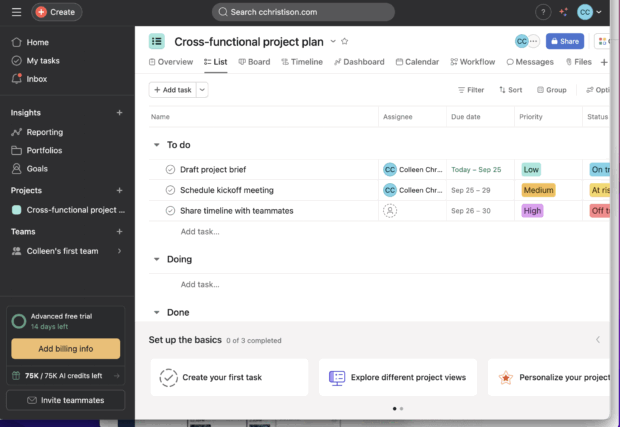
A cross-functional project plan within a content calendar tool, outlining tasks like drafting project briefs, scheduling kickoff meetings, and sharing timelines.

Source: Asana

Best for: Mid-to-large marketing teams who also need project management tools, content planning workflows, and cross-team coordination.

Top features:

  • Task boards and timelines visually laid out
  • Custom fields available
  • Can assign tasks assignments
  • Communication via comment threads
  • Integrations

Pros:

  • Flexible
  • Works for non-social work, like pipelines and project management

Cons:

  • Not built specifically for social media
  • Lacks native posting
  • Lacks analytics
  • Lacks social-specific features

Pricing: Starter plans are free, paid plans are $14.49/mo – $32.99/mo, and enterprise-level plans are available at request.

Notion
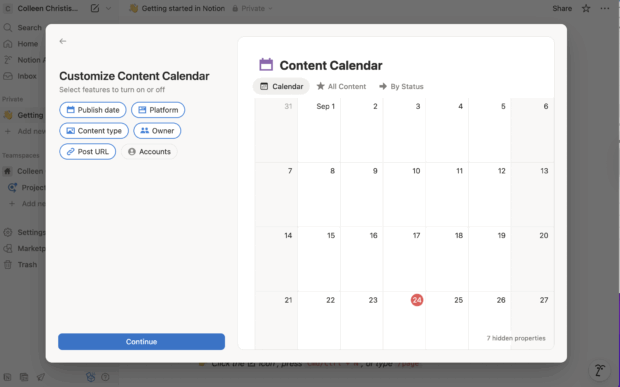
A Notion content calendar interface, displaying a calendar view of content by publish date and platform, with options to customize and add new content.

Source: Notion

Best for: Flexible individuals or teams who need to do lightweight content planning, knowledge bases, and hybrid editorial workflows.

Top features:

  • Templates
  • Relational databases
  • Kanban or board views
  • Embedded content
  • Linking pages
  • Collaborative editing

Pros:

  • A very customizable, flexible structure
  • Works for many use cases beyond social
  • AI-powered assistance and content generation
  • Easy to communicate in-platform using comments

Cons:

  • Not specifically meant for social so no built-in scheduling or publishing
  • No social-specific AI-features
  • No data or analytics imported from social platforms
  • No social reporting

Pricing: Starter plans are free, paid plans are $10/mo – $20/mo, and enterprise-level plans are available at request.

Later
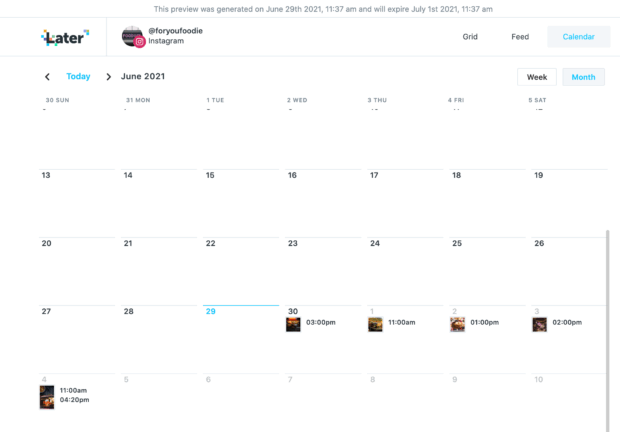
A content calendar displaying a weekly view for June 2021, showing scheduled posts for an Instagram account at various times

Source: Later

Best for: Small marketing teams, creators, solopreneurs who work in especially visual brands like fashion, food or lifestyle.

Top features:

  • Visual content calendar
  • Media library
  • Preview for grids and feeds
  • Hashtag suggestions

Pros:

  • Intuitive visual planning
  • Visual posting schedule
  • Drag-and-drop calendar makes it easy to organize
  • Good for content-first creators who need to see what their posts look like

Cons:

  • Limited analytics
  • Lacking in workflow capabilities

Pricing: Plans start at $18.75/mo – $82.50/mo

Buffer
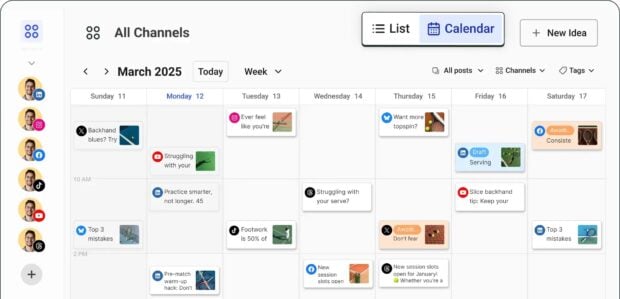
A content calendar with a monthly view for March 2025, showing scheduled posts across different channels with tags and post ideas.

Source: Buffer

Best for: Solopreneurs and small marketing teams looking for a starter tool that prioritizes simplicity and affordability.

Top features:

  • Scheduling
  • Basic analytics
  • Reuse options
  • Browser extensions
  • Content queueing

Pros:

  • Free features
  • Clean interface
  • Easy to use
  • Lower learning curve

Cons:

  • Limited reporting compared to full-suite tools
  • Limited collaboration features in lower tiers
  • Lacks advanced social media features like social listening or governance controls

Pricing: Free plans with paid starting at $5/mo – $10/mo

Airtable
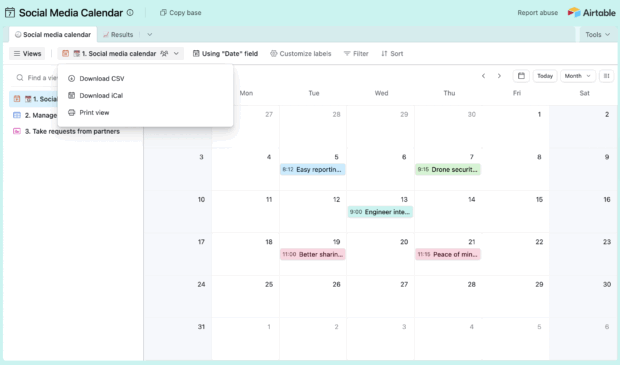
A social media content calendar displaying a calendar view with options to filter, sort, and group posts, and download CSV or iCal.

Source: Airtable

Best for: Mid to large marketing teams that want customizable content databases and can maintain the system.

Top features:

  • Spreadsheets and database hybrid
  • Multiple view options like grids, galleries, calendars
  • Automations
  • Linked records
  • Customization
  • Template library
  • AI-powered generation capabilities
  • App library and sandbox

Pros:

  • Flexible data modelling
  • Useful for content planning and asset management
  • Plenty of content calendar templates available

Cons:

  • Doesn’t natively publish to social
  • Is not a social-specific platform, so lacking social features

Pricing: Free, with paid plans starting at $20/mo – $45/mo. Enterprise plans available upon request.

Sprinklr
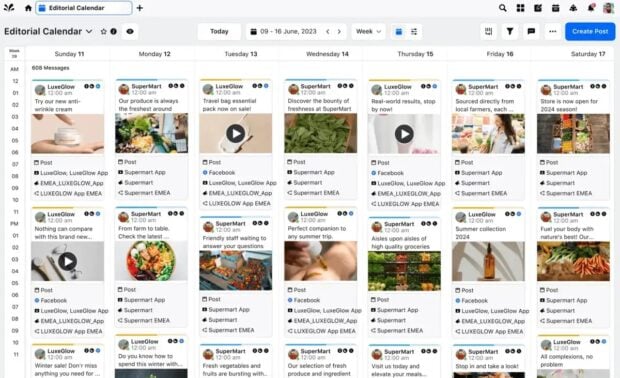
An editorial content calendar showing scheduled posts for various brands like LuxeGlow and SuperMart across different social media platforms in June 2023.

Source: Sprinklr

Best for: Enterprise-level organizations that need to manage multiple consumer touch points across multiple channels.

Top features:

  • Social publishing
  • Engagement
  • Social listening
  • Advertising
  • Comprehensive analytics
  • Strong governance lets global companies manage sub-brands with regional permissions and approval workflows
  • Omnichannel messaging

Pros:

  • Enterprise-grade features
  • Strong compliance and permissions
  • Cross-channel depth

Cons:

  • Very expensive
  • Steep learning curve

Pricing: While Sprinklr does not list public prices for most of its products, they do offer a Self-Serve plan for smaller teams for around $299-$359/mo

Canva Pro
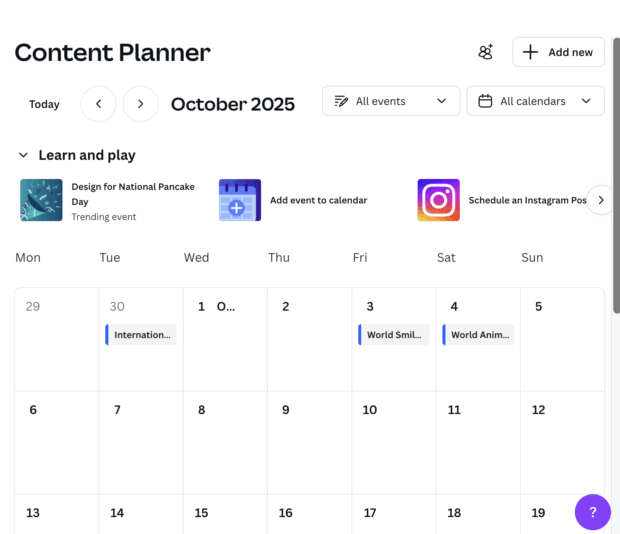
A content planner displaying an October 2025 calendar, highlighting events like International Coffee Day and World Smile Day, with options to add new events

Source: Canva Pro

Best for: Solopreneurs, small marketing teams, freelancers who need support with design.

Top features:

  • Premium stock content
  • Design templates
  • Brand kits
  • Content planner for scheduling simple posts
  • Team collaboration

Pros:

  • Strong for graphics and social images
  • Huge template library
  • Intuitive design for non-designers

Cons:

  • Scheduling is basic
  • Not a full social media management suite
  • No analytics

Pricing: Pro plans start at $19/mo per seat

HubSpot
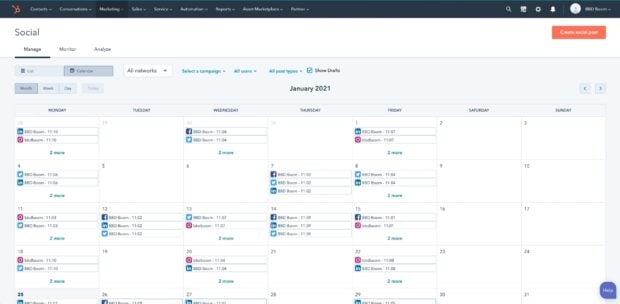
A social media content calendar displaying a monthly view for January 2021, showing scheduled posts across various networks and campaigns.

Source: HubSpot

Best for: Mid to enterprise marketing teams, B2B organizations that already use HubSpot CRM and want everything in one ecosystem.

Top features:

  • Social publishing
  • CRM integration
  • Linked email campaigns
  • Automation
  • Analytics and lead tracking

Pros:

  • Unified marketing and sales view
  • Strong automation
  • Useful for tying together brand communications across email, CRM, and social

Cons:

  • Social features are lacking

Pricing: Free, with paid accounts ranging from very basic at $15/mo to professional starting at $1,450/mo and enterprise starting at $4,700/mo

Monday.com
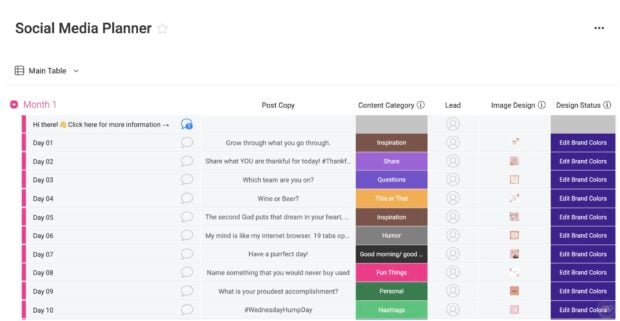
A social media content planner in a table format, listing post copy, content categories, and image design status for various days.

Source: Monday.com

Best for: Mid to large marketing teams managing multiple workflows and executing campaigns across multiple departments who need an organization tool.

Top features:

  • Boards
  • Forms
  • Dashboards
  • Integrates well with other platforms

Pros:

  • Very flexible for structuring your content workflows
  • Works well as a central hub for multiple marketing campaigns across different platforms and teams to stay organized

Cons:

  • Not a dedicated social scheduler or publisher tool
  • Requires integrations to push posts

Pricing:

  • Free to start, paid plans start at $26/mo per seat with enterprise plans available at request.

Trello
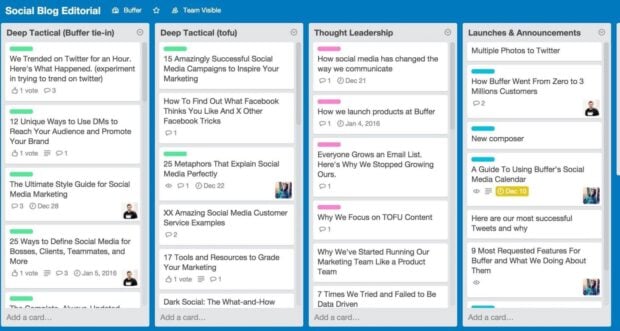
A social blog editorial content calendar with various categories like Deep Tactical and Thought Leadership, showing blog post ideas and their engagement metrics.

Source: Hevo

Best for: Solopreneurs and small marketing teams who need simple visual planning and a low barrier to entry.

Top features:

  • Simple editorial boards
  • Content idea pipelines
  • Visual task tracking
  • Templates

Pros:

  • Intuitive drag-and-drop interface with almost no learning curve
  • Great for campaign ideation and lightweight planning
  • Free tier is generous enough for small teams to get started

Cons:

  • Lacks social features like publishing
  • Scaling can get messy

Pricing: Free with paid plans starting at $5/mo – $17.50/mo

KAWO
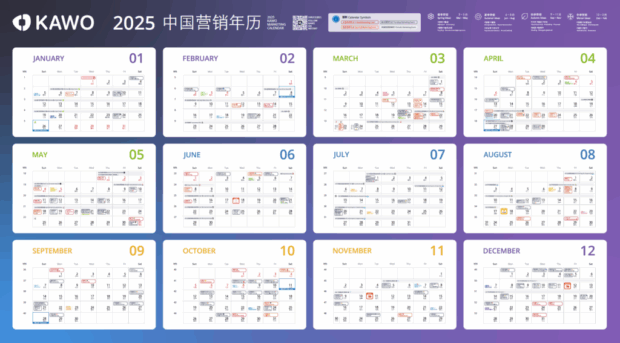
A KAWO 2025 China Marketing Content Calendar, displaying a yearly overview with months and corresponding numbers.

Source: KAWO

Best for: Enterprise and mid-size companies targeting Chinese social platforms like WeChat, Weibo, Douyin.

Top features:

  • Social publishing to Chinese platforms
  • Organized content calendar
  • Analytics focused on Chinese social networks

Pros:

  • Specific to social media marketing
  • Great if you’re focused on Chinese apps
  • Bridges gaps where Western tools don’t reach

Cons:

  • Not great for global use

Pricing: While pricing isn’t publicly available, you can expect KAWO plans to range from $4,000 to $29,600/year

MeetEdgar
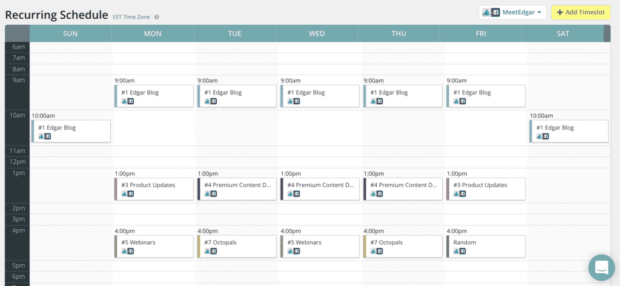
A recurring schedule content calendar displaying daily posting times for different content categories like Edgar Blog and Product Updates.

Source: MeetEdgar

Best for: Solopreneurs or very small teams who want “set it and forget it” evergreen scheduling.

Top features:

  • Automated evergreen content queues
  • Content library
  • Posting automation

Pros:

  • Minimal effort to keep your profile active
  • Automatically reposts evergreen content

Cons:

  • Automated reposting has strategic pitfalls
  • Limited collaboration
  • Narrow social feature set

Pricing: Free trial, paid plans start at $29.99 – $49.99/mo

Post Planner
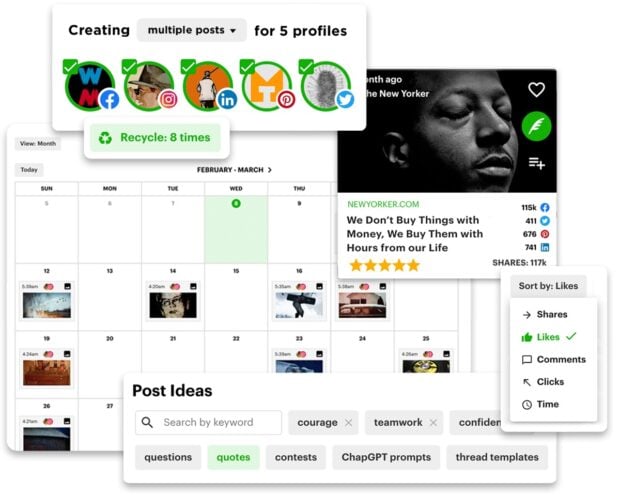
A content calendar showing a monthly view for February-March, with options to create multiple posts, recycle content, and search for post ideas by keyword.

Source: Post Planner

Best for: Small marketing teams or solopreneurs needing curated content ideas and scheduling.

Top features:

  • Content suggestions pulled from various sources
  • Content curation
  • Scheduling
  • Wide suite of platforms to post to
  • Category queues

Pros:

  • Helps with ideation and finding trending content
  • Hands-off scheduling

Cons:

  • Basic analytics
  • Limited collaboration
  • Media library and advanced features may lag behind full-suite tools

Pricing: Free with paid plans at $7 – $57/mo

Mailchimp
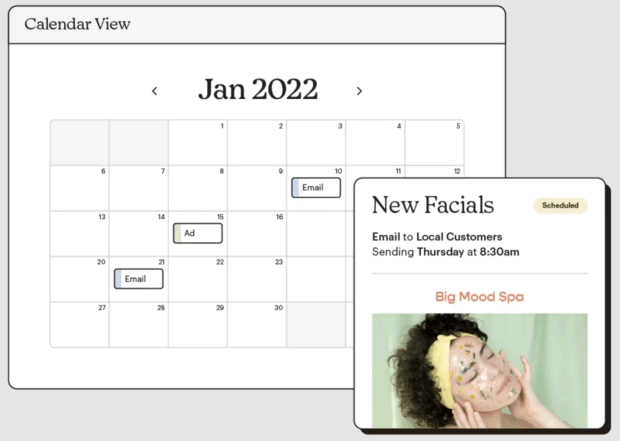
A calendar view within a content calendar tool, showing scheduled emails and ads for January 2022, including an email to local customers about new facials.

Source: Mailchimp

Best for: Mid to enterprise teams focused on email marketing that want everything in one place.

Top features:

  • Robust email marketing features and automations
  • Generative AI features
  • Audience segmentation within email lists
  • Popups, landing pages, and other digital touchpoints

Pros:

  • Scheduling capabilities for social posts to align with email campaigns
  • Personalized onboarding
  • Build social posts in the same place you build emails
  • Robust email marketing features

Cons:

  • Not social-specific
  • Features are largely focused on email marketing

Pricing: Free 14-day trial, then plans scale up according to list size: 500 contacts $27.85/mo – 100,000 contacts $946.74/mo

How do you choose the right content calendar tool?

The right content calendar tool depends on how your team works, what you publish, and where your content lives. Here are five criteria to guide your decision:

  1. Team size and collaboration needs. Solo creators can get by with simpler tools like Buffer or Trello. Larger teams need approval workflows, role-based permissions, and collaboration features that keep everyone aligned.
  2. Budget. Free plans exist, but they come with limits on accounts, users, or features. Map your must-haves against pricing tiers before committing.
  3. Content types. If you only publish to social media, a social-specific tool like Hootsuite covers you. If you also manage blogs, email, and ads, look for a tool that supports multi-channel planning.
  4. Integration requirements. Check whether the tool connects with your existing tech stack, including your CRM, design tools, analytics platforms, and asset management systems.
  5. Governance and approvals. Enterprise teams managing multiple brands or regions need tools with centralized dashboards, brand guidelines enforcement, and audit trails for published content.

How to choose the right content calendar tool

If you’re still unsure, trying out different tools is always helpful. Free trials can be a game-changer for finding the right one.

“Get your hands dirty and try out as many features as the tool has available,” says Horna. “If your tool offers free templates, explore how some of those setups could improve your own template and workflow.”

The best content calendar tool is the one that fits your workflow, not the one with the longest feature list.
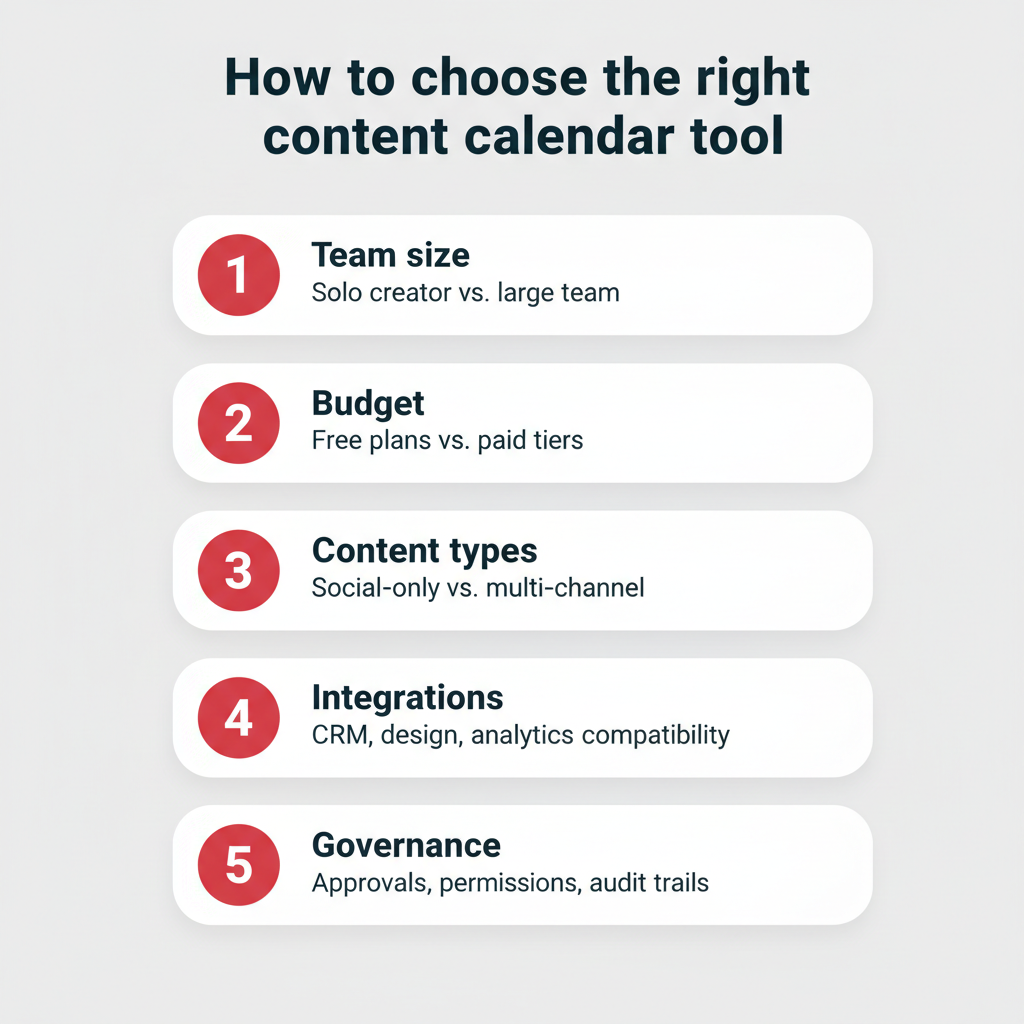
How to choose the right content calendar tool — five decision criteria including team size, budget, content types, integrations, and governance

How do you create a content calendar?

Once you’ve chosen your tool, building a content calendar is straightforward. Here’s a quick overview of the five steps, followed by a breakdown of each:

  1. Define your content goals and channels
  2. Audit existing content and identify gaps
  3. Choose your content calendar tool
  4. Build your calendar structure
  5. Schedule, publish, and review performance

Five steps to create a content calendar

1. Define your content goals and channels

Start by clarifying what you want your content to achieve. Are you driving brand awareness, generating leads, or supporting customer retention? Then identify which channels (social, blog, email, paid) will get you there. Aligning your calendar to a clear social media strategy makes every piece of content more intentional.

2. Audit existing content and identify gaps

Review what you’ve already published. Look for content that performed well, topics you haven’t covered, and channels where your posting has been inconsistent.

3. Choose your content calendar tool

Pick a tool that matches your team size, budget, and channel mix. Use the comparison table above to narrow your options, and take advantage of free trials before committing.

4. Build your calendar structure

Set up your content pillars, posting cadence, and assignments. Most tools let you create categories or tags for different content types, making it easy to see your mix at a glance.

5. Schedule, publish, and review performance

Start scheduling posts and campaigns. Use your tool’s analytics to track what’s working, then adjust your calendar based on real performance data.

A content calendar is a living document. Plan to revisit and refine it regularly as your strategy evolves, using structured social media workflows to keep your team efficient.
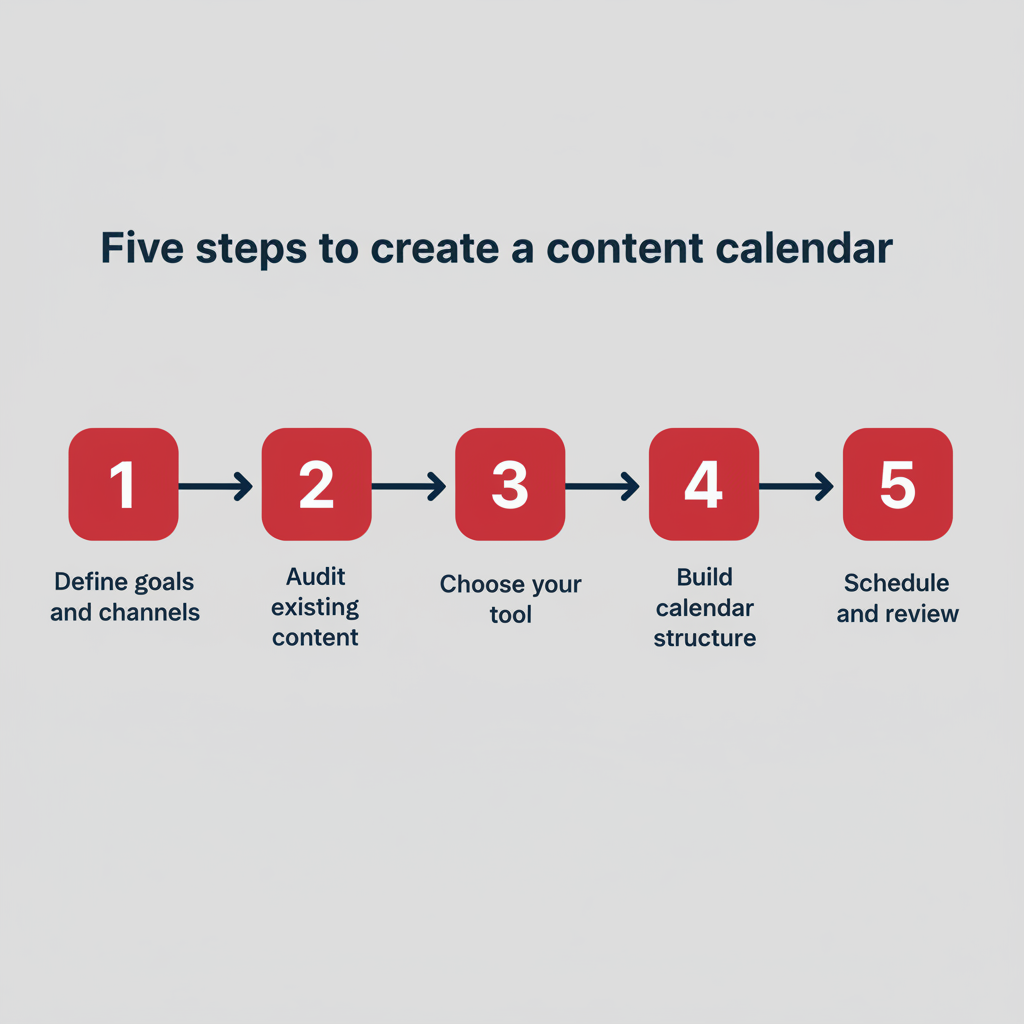
Five steps to create a content calendar — a horizontal process flow from defining goals to scheduling and reviewing

Frequently asked questions

What is a content calendar tool?

A content calendar tool is software that lets you plan, schedule, and manage content across multiple platforms from one place. It centralizes your publishing workflow so you can coordinate social media posts, blog articles, email campaigns, and more without juggling separate systems.

What is the best content calendar tool?

Hootsuite is the best content calendar tool for teams that need an all-in-one social media management platform. It combines scheduling, analytics, AI-powered content creation, approval workflows, and multi-account management in a single dashboard. For teams focused on project management rather than social publishing, tools like Asana or Monday.com may also be worth evaluating.

What’s the difference between a content calendar and a social media calendar?

A content calendar covers all content across every channel, including email, blogs, ads, and social media. A social media calendar focuses specifically on social media posts and platforms. If your team publishes across multiple channels, a content calendar gives you the broader view you need.

How do I create a content calendar?

You can create a content calendar by defining your goals, auditing your existing content, choosing a tool, building your calendar structure with content pillars and posting cadence, and then scheduling and reviewing performance. Tools like Hootsuite make this process easier with built-in templates, scheduling, and analytics.

Is there a free content scheduler?

Yes, several content schedulers offer free plans. Buffer has a free tier that supports up to three channels, and Hootsuite offers a free 30-day trial with access to its full feature set. Free plans typically come with limits on the number of accounts, scheduled posts, or users.

Does Canva have a content scheduler?

Yes, Canva Pro includes a content planner that lets you schedule designed posts directly to social media platforms. It’s a convenient option if you’re already creating visuals in Canva, though it lacks the advanced analytics and collaboration features of dedicated social media management tools.

Can you build a content calendar in Excel?

Yes, you can build a content calendar in Excel or Google Sheets. Spreadsheets work for basic planning, but they don’t offer scheduling, publishing, analytics, or collaboration features. As your content volume grows, a dedicated tool will save significant time and reduce manual errors.

What are the best free content calendar tools?

Hootsuite offers a free 30-day trial, and tools like Buffer, Notion, and Trello offer free starter plans. Keep in mind that free plans often limit the number of connected accounts, team members, or advanced features like analytics and approvals.

How do large teams manage content calendars across multiple brands?

Large teams manage content calendars across multiple brands by using enterprise tools with role-based permissions, approval workflows, and centralized dashboards. These features give leadership visibility into every brand’s content schedule while letting individual teams manage their own day-to-day publishing. Tools like Hootsuite and Sprinklr are built for this kind of multi-brand, multi-region coordination.

What is the difference between a content calendar and an editorial calendar?

A content calendar tracks all planned content across channels, including social media, email, and ads. An editorial calendar is typically focused on long-form content like blog posts and articles, with editorial deadlines, assignments, and publication dates. Many teams use both, or combine them into a single planning tool.

Save time managing your social media marketing strategy with Hootsuite. Publish and schedule posts, find relevant conversions, measure results, and more — all from one dashboard. Try it free today.

The post Best content calendar tools for your team in 2026 appeared first on Social Media Marketing & Management Dashboard.


* This article was originally published here

Friday, May 1, 2026

Social media algorithms in 2026: How they rank content

Key takeaways

  1. Social media algorithms are AI-powered systems that rank content based on engagement signals, relevance, and user behavior to personalize each person’s feed.
  2. Every major platform uses different ranking signals, but watch time, engagement rate, and content relevance are near-universal priorities in 2026.
  3. Optimizing for algorithms requires platform-specific strategies, from using keywords and hashtags strategically to posting consistently and embracing new formats.
  4. AI is increasingly central to how algorithms surface, moderate, and personalize content, making it essential for brands to understand AI’s growing role.

What are social media algorithms?

A social media algorithm is a collection of rules, ranking signals, and calculations that decide the content priority and display order for each user.

AI-powered social media algorithms determine what we see every time we open a social media app an average of 141 minutes per day worldwide and use machine learning to constantly evolve and personalize the user experience.

Back in 2000, when the first social media platforms like SixDegrees, MySpace, and Facebook first emerged, algorithms were purely chronological. Users saw content from people they followed (and later, brands) from most recent to oldest.

However, as social media gained popularity, complex algorithms started curating content based on user behavior and interests. Facebook’s News Feed launched in 2006, and its EdgeRank algorithm, first detailed publicly in 2010, was a pioneer in ranked content delivery before being replaced in 2011 by more advanced algorithms.

And in 2026, every modern social platform ranks and displays content based on its own social media algorithms, except Bluesky, where chronological is the default. Some platforms, such as X, Facebook, and Instagram, also still offer a chronological option.

#1 Social Media Tool

Create. Schedule. Publish. Engage. Measure. Win.

Start your free trial

How a social media algorithm works in practice

It helps to see the process in action. When you open Instagram, the algorithm pulls roughly 500 recent posts from accounts you follow and filters out anything that violates Community Guidelines. It then scores each post based on predicted engagement, factoring in signals like your past interactions with the author, the post’s format, and how other users have responded. A Reel you’re likely to watch for 10+ seconds gets prioritized over a photo you’d scroll past. The result is a feed ranked from most to least relevant, all within milliseconds.

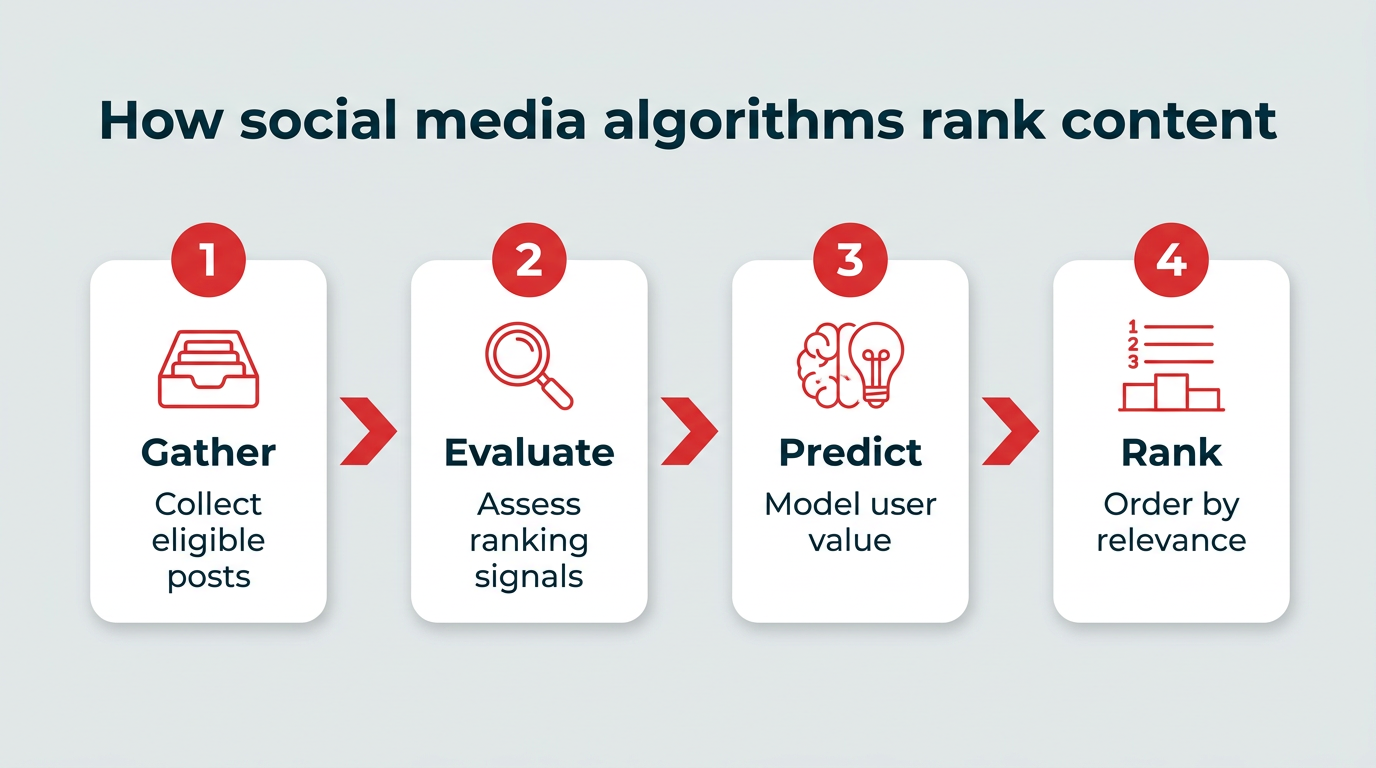
The same general workflow applies across platforms: gather eligible content, evaluate ranking signals, predict value, and rank the results. The specific signals and weightings differ, but the underlying logic is consistent.

How social media algorithms rank content

Key social media algorithm terms

Ranking signal: An attribute or factor used by social media algorithms to assess content quality and relevance. Ranking signals influence the inclusion or exclusion of content in a user’s search results or feed, and display order.

Machine learning: A component of artificial intelligence systems that can make sense of data, react, learn from, and/or act on information without needing instructions from a human. Heavily reliant on pattern recognition.

Artificial intelligence (AI): Technology enabling computers to solve complex problems, mimic human reasoning, and automate tasks traditionally done by humans.

What ranking signals do social media algorithms use?

Each platform personalizes user experience using its own set of social media algorithms, including ranking signals, machine learning models, and priorities. While the specifics vary, certain signals appear across nearly every major network.

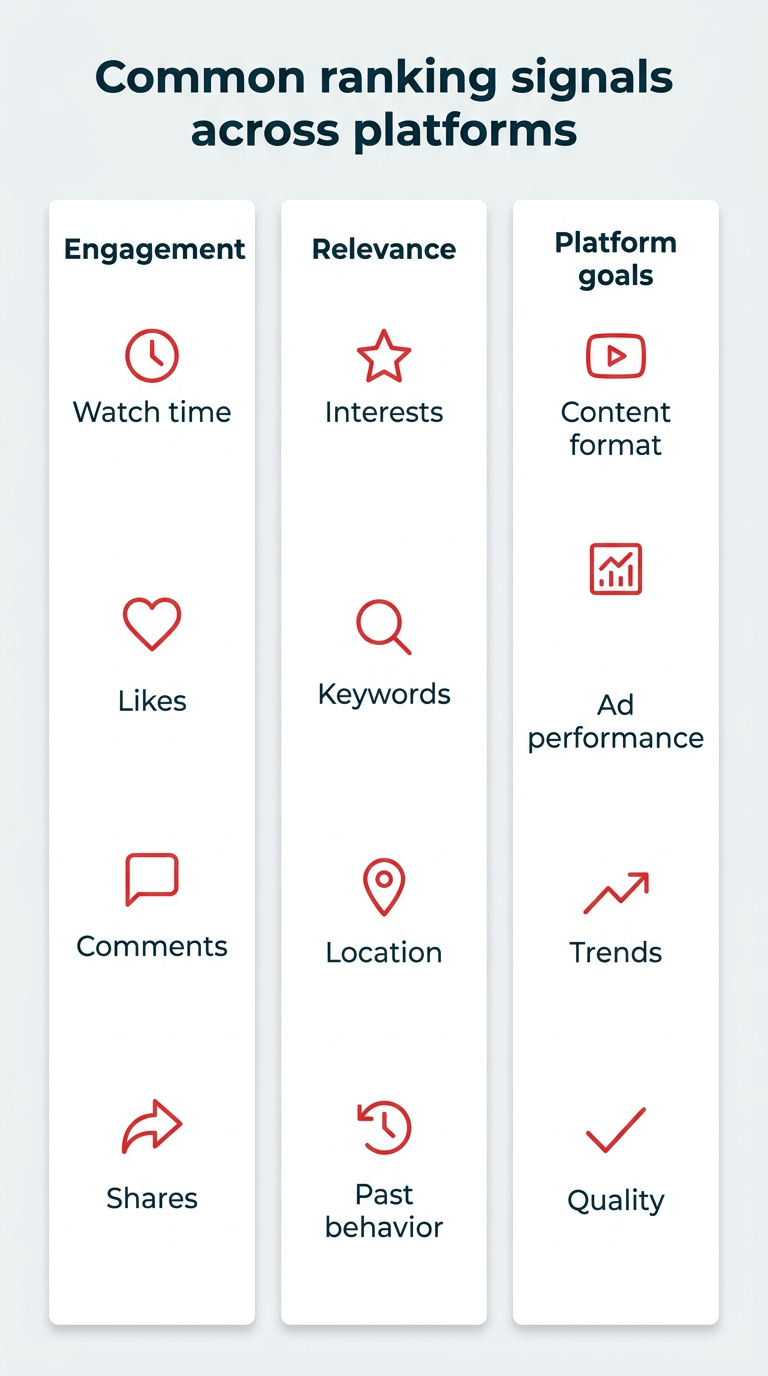
Here are the most common social media algorithm ranking signals in 2026.

Engagement-based ranking

  • Watch time: Important for videos, but counts for photo or text content too.
  • Engagement rate: The percentage of likes, comments, and shares vs. total views.
  • Share rate: Number of shares vs. total views.
  • Like rate: Number of likes vs. total views.
  • Comment rate: More comments = higher engagement rate but some algorithms, such as LinkedIn, also factor in discussion quality and sentiment.

Relevance and personalization

  • Geolocation: Many social media platforms have location tagging features for enhanced local discovery, plus user account settings may influence content shown.
  • Interests: Topics the user follows (such as hashtags on LinkedIn) as well as predictions based on recent activity.
  • Previous interactions and behavior: Recent engagements (likes, comments, shares) plus the accounts a user follows help social algorithms make predictions.
  • Keywords and/or hashtags: Help algorithms categorize content and match it with user interests, especially as roughly two-thirds of US consumers have used social search.
  • Associative relationships: How likely a user is to be interested in a piece of content or account based on similar followed accounts.

Platform goals

  • Content format: Social media algorithms often prioritize newly launched formats and can change quickly to keep up with trends, like when Instagram prioritized Reels before switching to carousels.
  • Ad performance: Ads are how social media platforms make money and algorithms are at the heart of ensuring they perform well.

Algorithm training

  • Content quality: Subjective, based on user interests, but for algorithms it usually means if a post follows size requirements and policies.
  • Trends: Algorithms learn to detect and amplify social media trends.
Common ranking signals across platforms

How do algorithms work on every major social network in 2026?

Platform

Top ranking signals

Preferred format

Chronological option?

Instagram

Watch time, likes, sends

Reels, carousels

Yes

Facebook

Predicted engagement, connections

Video, photos

Yes

TikTok

Watch time, user activity

Short-form video

No

LinkedIn

Content quality, early engagement

Text, documents, video

No

YouTube

Watch time, relevance

Long and short video

No

X

Connections, recency

Text, images

Yes (Following tab)

Threads

Predicted engagement, view time

Text

Yes (Following tab)

Pinterest

Visual relevance, saves

Images, Pins

No

Bluesky

User-controlled, community

Text

Yes (default)

Reddit

Upvotes, recency, community moderation

Text, links, images

Yes (New sort)

Here’s what you need to know about each major social algorithm to optimize content in 2026.

Instagram

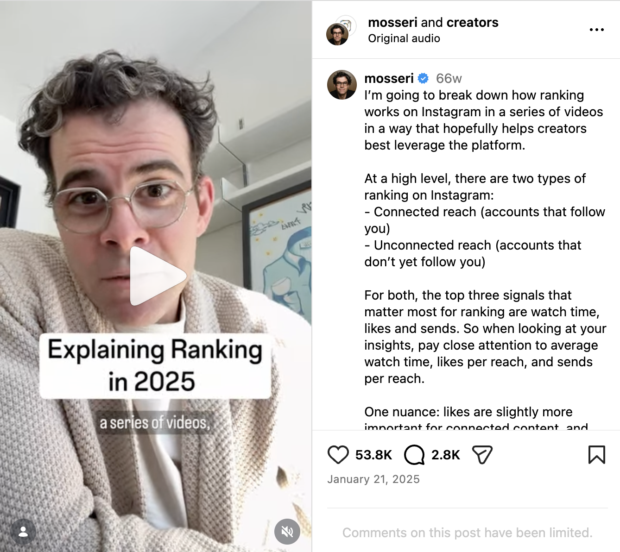
Overall, the top three ranking signals on Instagram in 2026 are watch time, likes, and sends, according to Head of Instagram, Adam Mosseri:

reel of adam mosseri explaining algorithm ranking

Source: @mosseri

Going a little deeper, there are two types of ranking on Instagram:

  • Connected reach (how you rank for people who follow you)
  • Unconnected reach (how you rank for people who don’t follow you)

Each ranking type uses slightly different priorities: likes are more important for connected reach while sends are more important for unconnected reach.

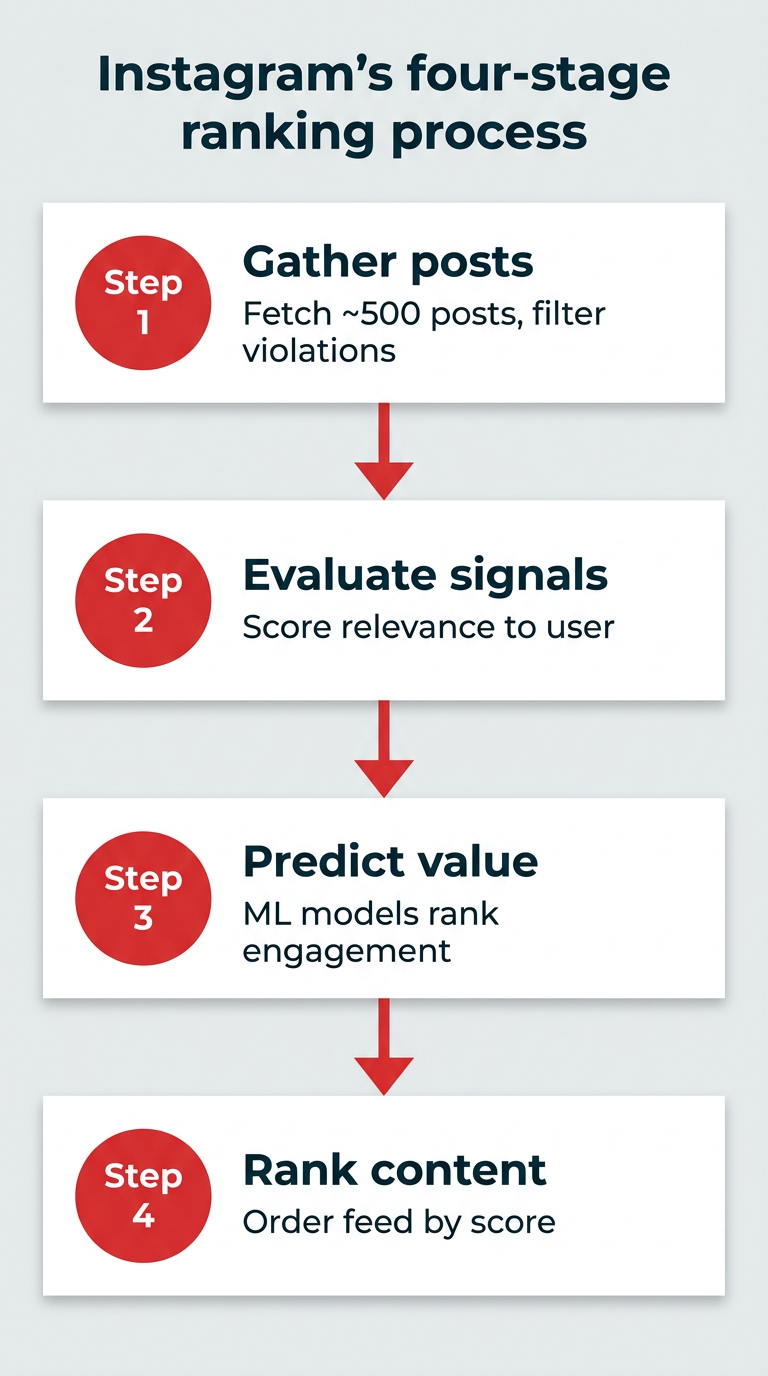
The Instagram algorithm analyzes content in four stages:

  1. Gather posts: Instagram fetches all available posts from followed accounts, filtering out posts that violate the Community Guidelines.
  2. Evaluate ranking signals: Evaluates a selection of approximately 500 posts to determine relevance to the user.
  3. Predict value: Various machine learning models make predictions about which posts are the most valuable to each user.
  4. Rank content: Based on ranking signals and the AI models’ predictions, the 500 posts are scored and ranked to determine which order they show up in a user’s feed.
Instagram's four-stage ranking process

Each part of Instagram has its own algorithm, which follows the above workflow. These are the most important ranking signals for each.

Instagram feed algorithm

Beyond watch time, likes, and sends, these are the most important Instagram algorithm ranking signals:

  • How likely a user is to click to comment, based on past commenting activity.
  • How long a user will spend scrolling Reels after clicking into one. Predicted by how often a user has entered the Reels feed, how many times they watched a video with sound over the last seven days, as well as time spent with the post author’s content over the past 84 days.
  • How likely a user will spend scrolling the main feed after viewing the first post. Ranking signals include device platform and how many times a user views posts that are either 1-3 days old, 8-14 days old, or 14-21 days old.
  • How likely a user is to scroll to the next post. Based on previous scrolling history, as well as how other users behaved after viewing that specific post.
  • How likely a user is to spend more than 10 seconds on the first post. Influenced by time spent with the post author’s content in the past, device platform, and previous view history.

Instagram Stories algorithm

For brands, it’s important to remember that Instagram Stories likely won’t fuel follower growth unless they land on the Explore page. The Stories feed only shows accounts a user already follows. The algorithm here attempts to predict which Stories users want to see first.

The most important ranking signals for the Instagram Stories algorithm are:

  • How likely a user is to tap on a Story at the top of their home feed. Influenced by how often a user views Stories from a particular author and number of unseen Stories.
  • How likely a user is to engage with a Story. Based on previous interaction history (likes, comments, replies) including the Story author’s content.
  • How likely it is that the user is a family member or close friend of the Story’s author. At least “where data privacy laws permit.”
  • How likely it is a user will swipe to the next Story or exit. Predicted by previous actions on Stories from that author and general Stories usage.

Instagram Reels algorithm

The most important Instagram Reels algorithm ranking signals are:

  • How likely a user is to use the audio from the current Reel in their own. Signals include how long the user has been browsing Reels, how many times they’ve clicked on the audio link on Reels before, and used it.
  • How likely a user is to watch more of a Reel than 95% of other viewers. Uses Reels of similar length to predict.
  • How likely a user is to watch a Reel for less than three seconds. Influenced by how many other users watched less than three seconds.
  • How likely a user is to comment or share the Reel. Predicted by previous user behavior.

Instagram Explore algorithm

The goal of the Explore page is to show each user entirely new content from accounts they don’t follow. Getting on the Instagram Explore page is the fastest way to get in front of a lot of new, hyper-targeted people.

The most important ranking signals for the Instagram Explore algorithm are:

  • How likely a user is to follow an account from the Explore page. Predicted by time spent on content from that author and other accounts followed from Explore.
  • How likely a user is to watch more than 95% of a video or spend more than five seconds on a post. Influenced by previous viewing history.
  • How likely a user is to engage (comment, like, share, save). Signalled by previous engagement history and overall view count of the post on the Explore page.

To succeed on Instagram, focus on creating content that maximizes watch time and encourages meaningful engagement through likes, comments, and shares.

Facebook

The Facebook algorithm works across all areas of the platform, including the home feed, Stories, Reels, and Marketplace.

The Facebook algorithm uses typical behavior more than a hierarchy of most to least important ranking signals.

For example, some people hardly ever comment on posts, so commenting shows the content was very engaging to them. Others comment on everything, making it a less specific indication, so time spent per post is a better indicator of true engagement.

Of the thousands of Facebook algorithm ranking signals, these are some of the ones used most often, according to Meta:

  • Facebook connections: Content chosen for users is largely from their friends, joined Groups, and liked Pages. It also includes suggested content the algorithm predicts the user will find interesting based on current connections.
  • Content format: If users watch videos, they’ll see more video content in their feed or photos if they view more photos, and so on.
  • Likelihood of engagement: The algorithm predicts if a user will like, comment, share, or spend more time than usual on a post.
  • Relevancy: A set of predictions about how aligned a post feels to a user, determined by how likely they are to take actions like visiting a Page from a post, scroll comments, and more.

Read our article for all the details on how the Facebook algorithm works.

X (Twitter)

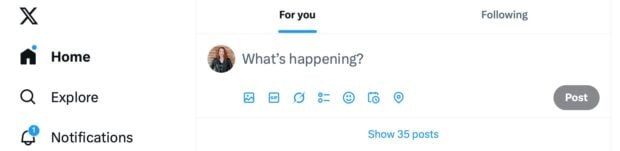
There are many interconnected X algorithms, but the two main ones users see are the For You and Following tabs.

X social media algorithm showing For You and Following tabs

The X algorithm features two main feed options for users to choose from.

Source: X

The Following feed only shows posts from accounts the user follows (plus ads). The For You tab is a mix of content from followed accounts and recommended content, based on key ranking signals such as:

  • Connections: Activity by accounts the user follows, including the accounts they follow and posts they have liked.
  • Previous interactions: Previous likes, comments, and shares influence what the algorithm shows in For You.
  • Relevancy: Posts relating to topics the user follows and trending topics in their location.

These same ranking signals also influence content on X’s Explore page, including Trending posts, and the News, Sports and Entertainment feeds.

Read our full breakdown of the X algorithm for more details.

LinkedIn

LinkedIn has undergone significant algorithm changes in 2025 and 2026, including a stronger push toward video content and continued efforts to ensure posts reach relevant professional audiences rather than going viral to unrelated users.

Known ranking signals for LinkedIn in 2026 include:

  • Content quality: As a B2B platform, the overall key to LinkedIn is to produce original, valuable, expert-level content for a business audience. LinkedIn also ranks content based on time users spend on posts, professional tone, total view count, and more.
  • Spam filtering: Grammatical errors, tagging individuals you’re not connected to, excessive hashtags, or posting more than once every 12 hours can trip LinkedIn’s spam flags, limiting reach.
  • Recent engagement: LinkedIn determines how valuable your post is to your network within the first hour, largely based on how much meaningful engagement (comments, shares with captions, etc) it gets in that time, but continues to distribute high quality content for weeks after. The more you interact with others, the more you increase your own visibility.
  • Relevancy: The people, pages, groups, hashtags, and topics a user follows and their interactions on the platform heavily influence the algorithm.

On LinkedIn, prioritize creating high-quality, professional content that sparks meaningful discussion within the first hour after posting.

TikTok

The TikTok algorithm is the opposite of most social platforms because it prioritizes discovering new content from strangers.

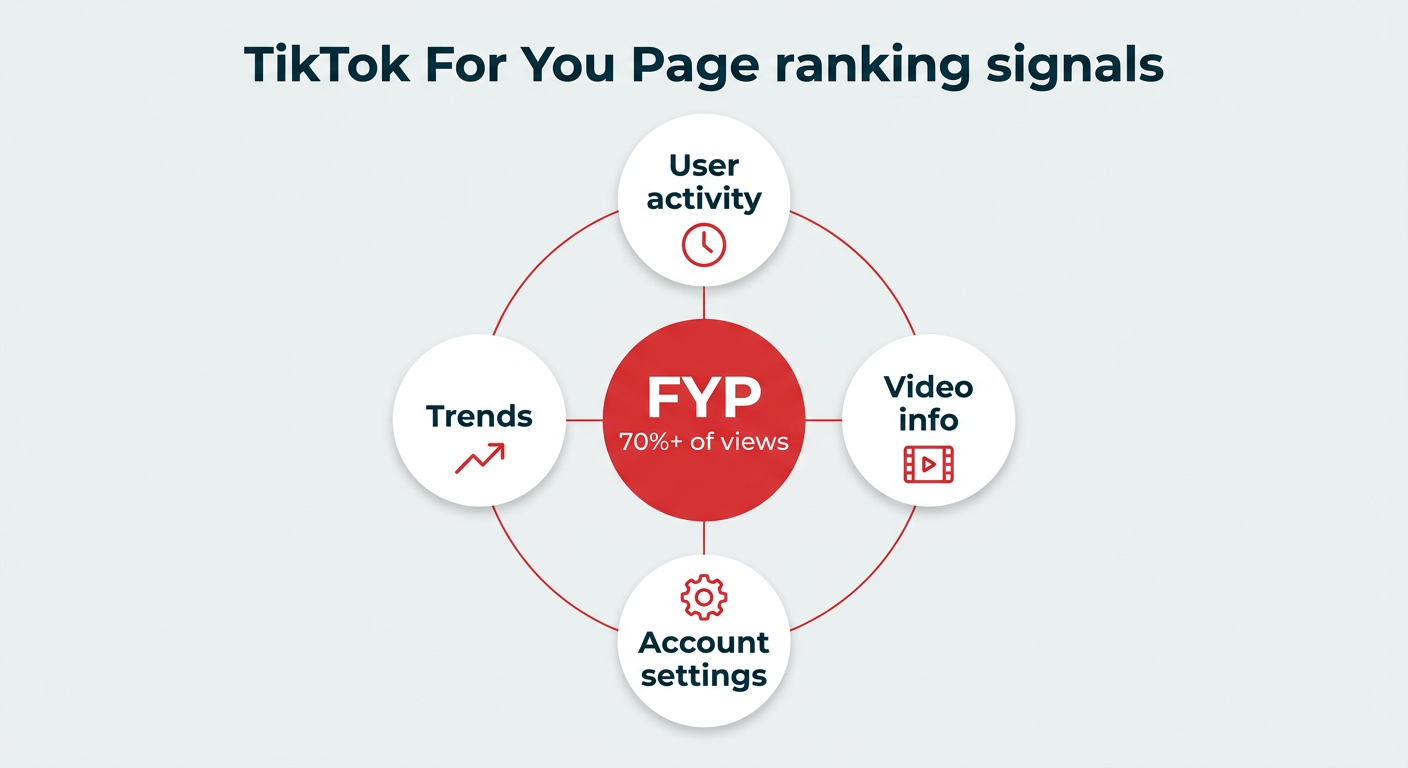
Each user sees a unique For You Page (FYP), which accounted for over 70% of video views by late 2025, full of content ranked on these, and other, signals:

  • User activity: Recent interactions, including liked, commented on, and favorited videos, accounts followed, watch time, and videos marked “Not Interested.”
  • Video information: Based on recent watch history, TikTok shows similar videos based on caption keywords, audio used, hashtags, and related topics.
  • Account settings: Language, location, and device type influence a user’s For You page.
  • Trends: Trends are big on TikTok, in large part due to trending audio.
TikTok For You Page ranking signals

TikTok’s algorithm rewards content that keeps users watching and engaging, with trending audio and relevant hashtags playing a key role in discovery.

YouTube

Whenever a user logs in, the YouTube algorithm ranks video recommendations based on recent behavior, such as views, liked videos, and subscribed accounts.

Rather than simply promoting the most popular videos within a topic, YouTube delivers deeply personalized recommendations to keep users on the platform as long as possible.

And it works. YouTube is the second most popular social network worldwide with over 2.7 billion monthly active users.

Important YouTube algorithm ranking signals include:

  • Recent activity: Video recommendations are heavily influenced by those watched during the last session, search history, and previous likes.
  • What users don’t watch: If YouTube suggests videos that the user never clicks on, the algorithm will stop recommending that type of content.
  • Video performance: How many views and total engagement the video has already earned from other users who watch similar content.
  • YouTube SEO: The algorithm evaluates topic relevance to understand how to rank recommendations for each user, but things like titles, thumbnail images, and descriptions still factor into ranking, especially for search.

YouTube prioritizes watch time and session duration, so create compelling content that keeps viewers engaged and encourages them to watch more videos.

Pinterest

Pinterest’s advanced visual search algorithms have long been a powerful tool for marketing products, especially in visually appealing categories, such as home design, beauty, fashion, food, art, and more.

Key ranking factors when it comes to Pinterest search are:

  • Visual relevance: The Pinterest algorithm is excellent at dissecting visuals and recommending similar Pins and products the user may be interested in. Recent visual search advancements include “Shop this look” which identifies and links out to products automatically.
  • Trends: Based on factors like user location, search history, and recent activity. Use Pinterest’s trends tool to optimize your Pins.
  • Recent saves: While all activity from search to browsing influences the Pinterest algorithm, what a user “pins” (saves) is very important.

Threads

Being a text-first platform, Threads aims to show users content that fosters discussions and engagement.

There are two main feeds in Threads: Following, for posts from accounts you follow, and For You, for a mix of content from those you follow plus suggested posts from others. (Plus, you can create custom feeds.)

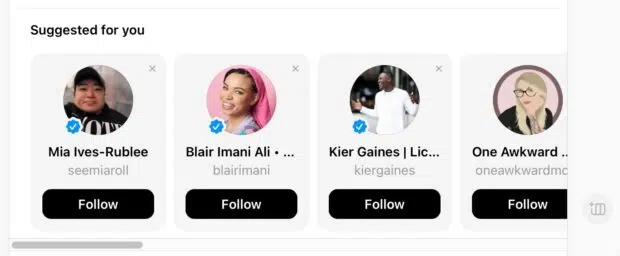
In addition to posts, Threads suggests accounts to follow while scrolling.

Threads social media algorithm suggesting accounts to follow

Threads uses algorithmic suggestions to help users discover new accounts based on mutual interests.

Source: Threads

Suggestions are based on mutual topic overlap, but the ownership connection between Threads and Instagram also allows for Meta to use Instagram or Facebook activity to “personalize and improve [your] Threads experience.” How much activity on one Meta platform influences the others isn’t clear.

Top Threads algorithm ranking signals include:

  • How likely a user is to like, comment, or click on a post. Predicted by time spent on past posts, previous engagements over the last week, the post’s overall engagement rate, and more.
  • How likely a user is to visit a post author’s profile. Influenced by time spent on Threads in the last six hours and how many profiles and posts the user previously tapped on, up to 30 days ago.
  • Time spent viewing posts. Threads tracks users’ average time spent on each post over the past 84 days, including view time by media format for the past 30 days.

Bluesky

Bluesky breaks the norms of how social media algorithms work by having a chronological post feed from only accounts the user follows as the default setting in the Following tab. The Discover tab is a mix of suggested content and posts from followed accounts.

Being an open-source platform, users have more control over their data and content preferences on Bluesky than on other networks. Bluesky is committed to the idea of “algorithmic choice,” where users aren’t subjected to one algorithm, but free to create and curate multiple algorithms to match their interests.

There are over 50,000 custom algorithmic feeds users can subscribe to, and anyone can create one.

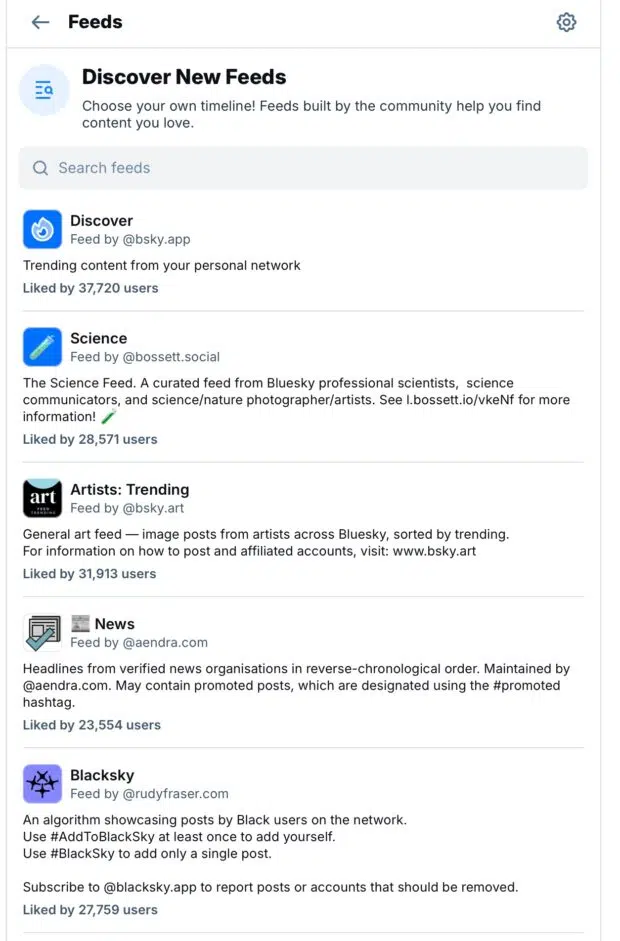
Bluesky social media algorithm custom feeds discovery page

Bluesky allows users to discover and subscribe to thousands of custom algorithmic feeds created by the community.

Source: Bluesky

Since users have so much control over their Bluesky algorithms, ranking signals won’t work the same for everyone. What matters most on Bluesky is relevancy and community connection.

To grow on Bluesky, brands should:

  • Get involved with or create niche communities by making custom feeds for your industry or topic.
  • Create a starter pack

On Bluesky, success comes from building authentic community connections and creating or engaging with niche custom feeds rather than gaming a single algorithm.

Reddit

Reddit’s algorithm differs from other platforms by incorporating community moderation alongside traditional engagement signals.

Key ranking signals include upvotes, recency, and subreddit-specific moderation rules, making it essential to understand each community’s unique culture and guidelines before posting.

Frequently asked questions

How can enterprise brands optimize content for multiple social media algorithms at scale?

Enterprise brands can optimize content for multiple social media algorithms at scale by focusing on universal ranking signals like watch time, engagement rate, and content relevance while developing platform-specific strategies. Use a centralized social media management platform like Hootsuite to schedule posts optimized for each network’s preferred format and timing, track performance metrics across all channels, and adjust your approach based on data-driven insights.

What metrics should enterprise marketing teams track to measure algorithm performance?

Enterprise marketing teams should track metrics like reach (both connected and unconnected), engagement rate, watch time, share rate, and follower growth to measure algorithm performance. Additionally, monitor platform-specific signals such as sends on Instagram, pin saves on Pinterest, and comment quality on LinkedIn. Use Hootsuite Analytics to centralize these metrics and identify which content types and strategies perform best across different algorithms.

How do social media algorithms impact paid advertising strategies?

Social media algorithms impact paid advertising strategies by using similar ranking signals to determine ad performance and delivery. Content that performs well organically often translates to better ad performance, as platforms prioritize ads that generate engagement and watch time. Enterprise teams should align their organic and paid strategies, testing creative formats that succeed organically in paid campaigns to maximize ROI.

What role does AI play in how social media algorithms rank enterprise content?

AI plays a central role in how social media algorithms rank enterprise content by powering machine learning models that predict user behavior, personalize feeds, and detect trends. AI systems analyze thousands of signals to determine which content to show each user, constantly evolving based on engagement patterns. Enterprise marketers should understand that AI-driven algorithms prioritize content that keeps users engaged on the platform longer, making quality and relevance more important than ever.

How often do social media algorithms change, and how should enterprise teams adapt?

Social media algorithms change frequently, with major platforms updating their ranking systems multiple times per year and making smaller adjustments continuously. Enterprise teams should adapt by staying informed through official platform announcements, monitoring performance metrics for sudden shifts, and maintaining flexibility in their content strategies. Focus on creating high-quality, engaging content that aligns with universal ranking signals rather than trying to game specific algorithm tricks that may become obsolete quickly.

Save time managing your social media marketing strategy with Hootsuite. Publish and schedule posts, find relevant conversions, measure results, and more — all from one dashboard. Try it free today.

The post Social media algorithms in 2026: How they rank content appeared first on Social Media Marketing & Management Dashboard.


* This article was originally published here
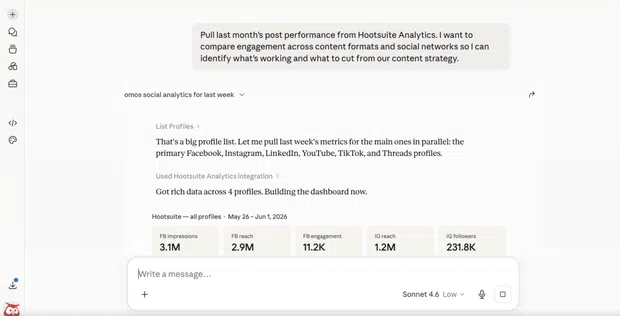
How to post on social media from Claude (with Hootsuite’s connector)

Lots of social media managers use AI to write a first draft. Then they copy it, open another tab, paste it in, and schedule it by hand. ...